Templates
Save Your Best Prompts
Turn a prompt that works into a template, then reuse it in one click whenever you need it again.
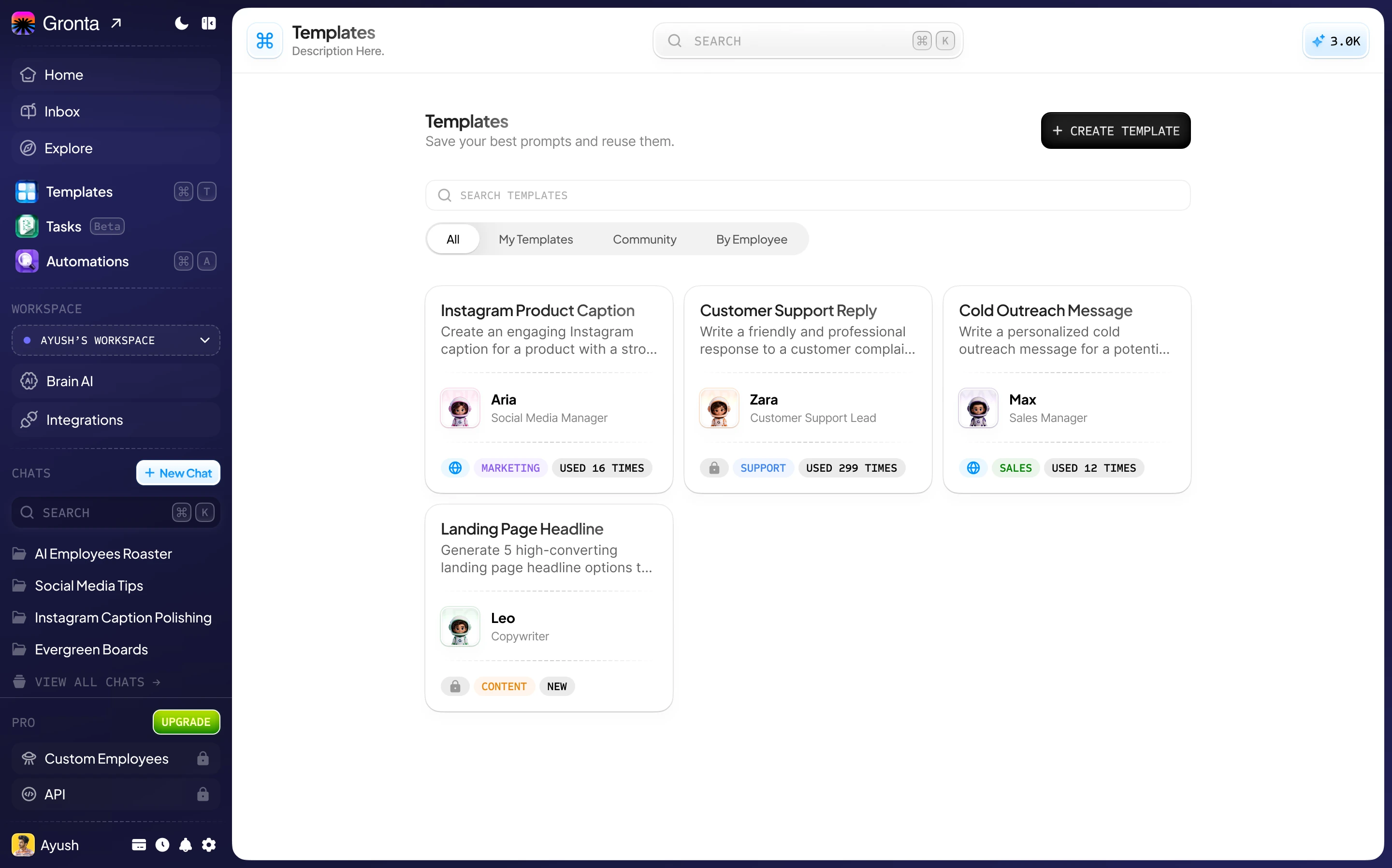
A Template Takes a Minute
Give it a title, pick the employee it is for, write the prompt and choose a category.
The right employee
Each template opens a chat with the employee it was written for.
Kept in order
Categories keep your marketing, sales and support prompts apart.
Private or public
Keep a template to yourself, or make it public to share it with the community.
Four Ways to Browse
Search by name, or use the tabs at the top of Templates.
All
Everything you can use, in one list.
My Templates
The templates you have written.
Community
Templates other Gronta users have made public.
By Employee
Templates grouped by the employee they are for.
One Click to a Ready Prompt
Use Template opens a new chat with the prompt already filled in, so you only change what is different this time.
No retyping
Your best wording is always one click away.
Consistent results
The same instructions every time means work that comes back the way you like it.
Need ideas?
Every AI employee's page lists the jobs it does best.
Browse the AI employeesSave your first template today
Start on the Free plan. No card needed.