Search
Enterprise Search
Find any chat, AI employee, template or setting from one search box, and let your AI employees look up answers in your Brain AI and connected apps.
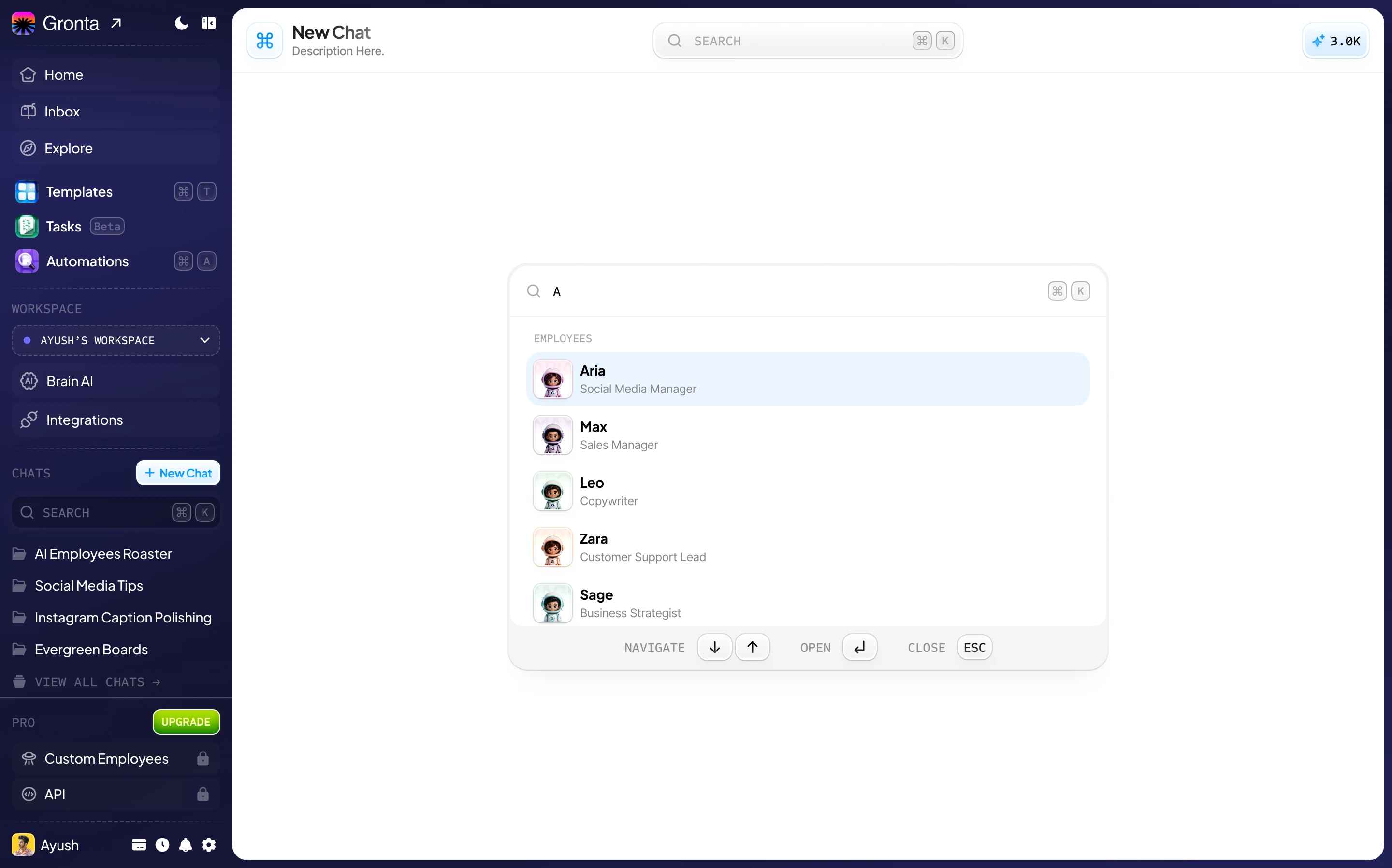
Everything in Gronta, One Shortcut Away
Press Ctrl+K on Windows or Cmd+K on a Mac from any page in the app.
AI employees
Jump straight into a chat with any of your AI employees.
Recent chats
Pick up your ten most recent conversations by title.
Templates
Find a saved prompt and use it in one click.
Quick actions
Open billing, settings, Brain AI and more without clicking through menus.
Search Every Conversation
Chat History searches the titles and the words inside all of your chats, not just the recent ones.
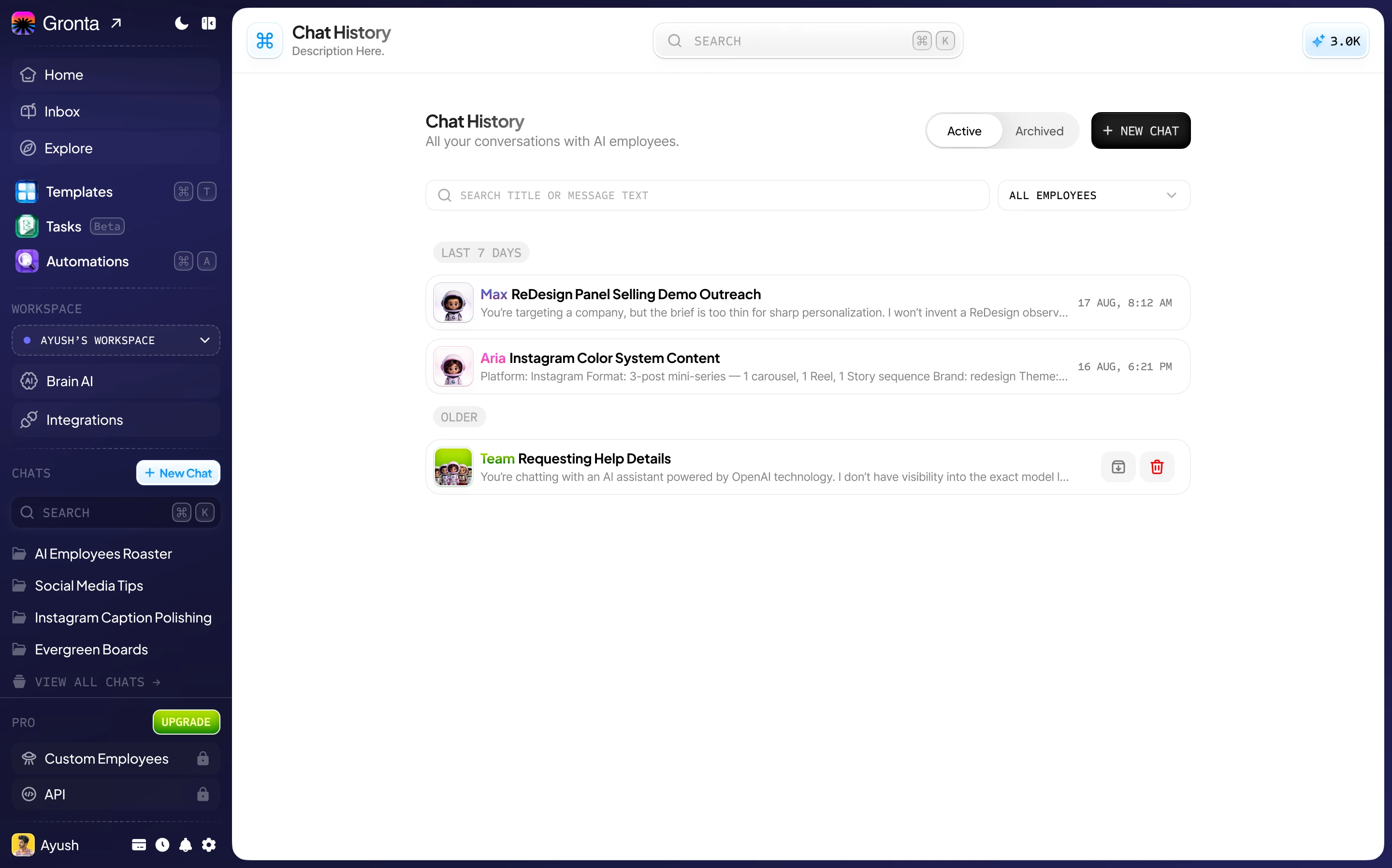
Titles and message text
Search for what was said, not only what the chat was called.
Filter by employee
Narrow the list to the chats you had with one AI employee.
Active and archived
Archived chats stay searchable on their own tab, out of your way.
Employees That Look Things Up
Ask a question and your AI employee finds the answer in your own knowledge.
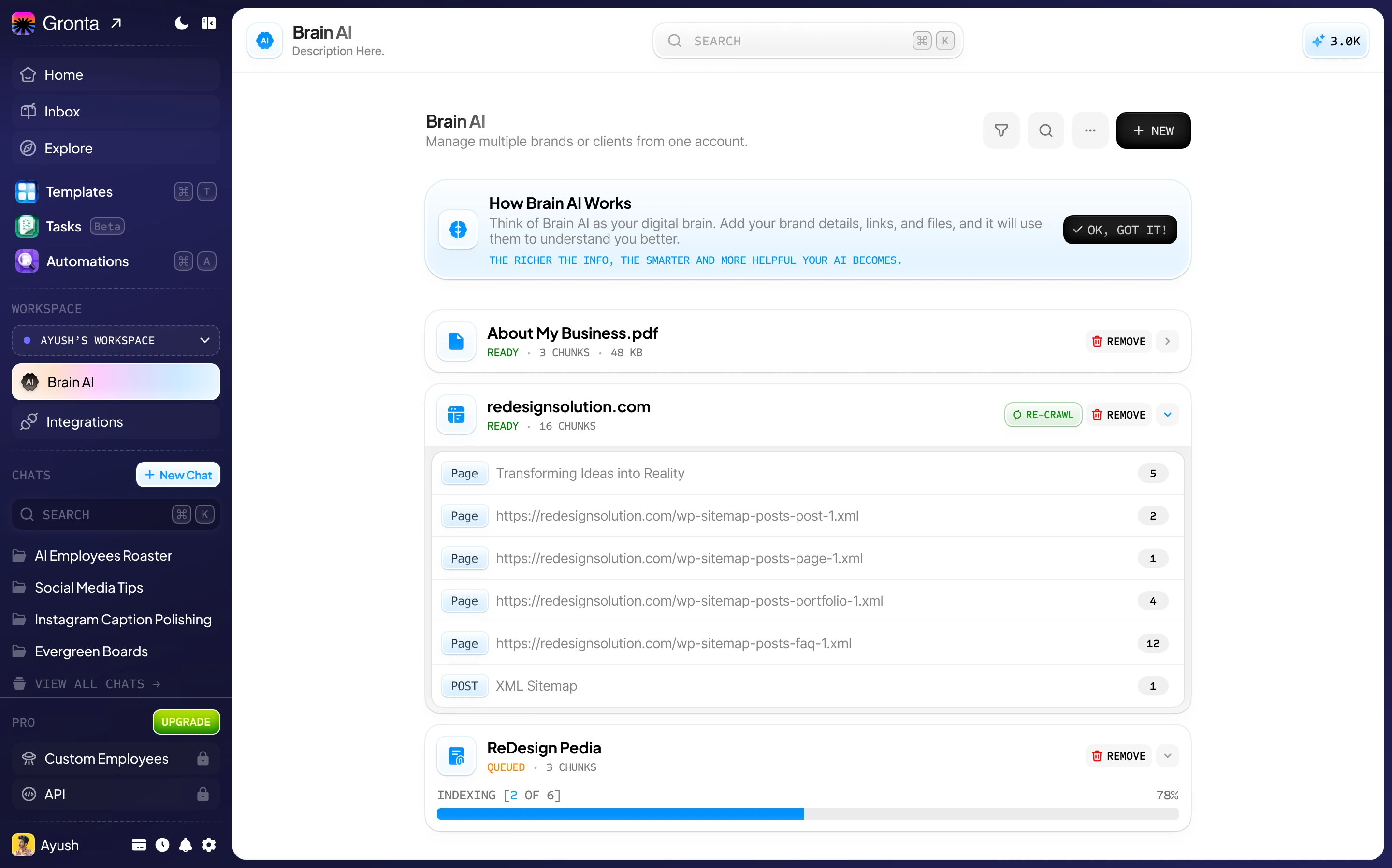
Brain AI
Every answer draws on the most relevant passages from your documents, web pages and notes.
Connected apps
Connect Gmail, Google Drive, Notion or Google Calendar, and your employees can search them for you.
Only what you connect
Employees reach only the apps you connect, and you can disconnect one at any time.
Find it in seconds
Start on the Free plan. No card needed.