Productivity
Quick Actions
Do the things you do every day in a keystroke. Press Ctrl+K or Cmd+K, type a few letters and press Enter.
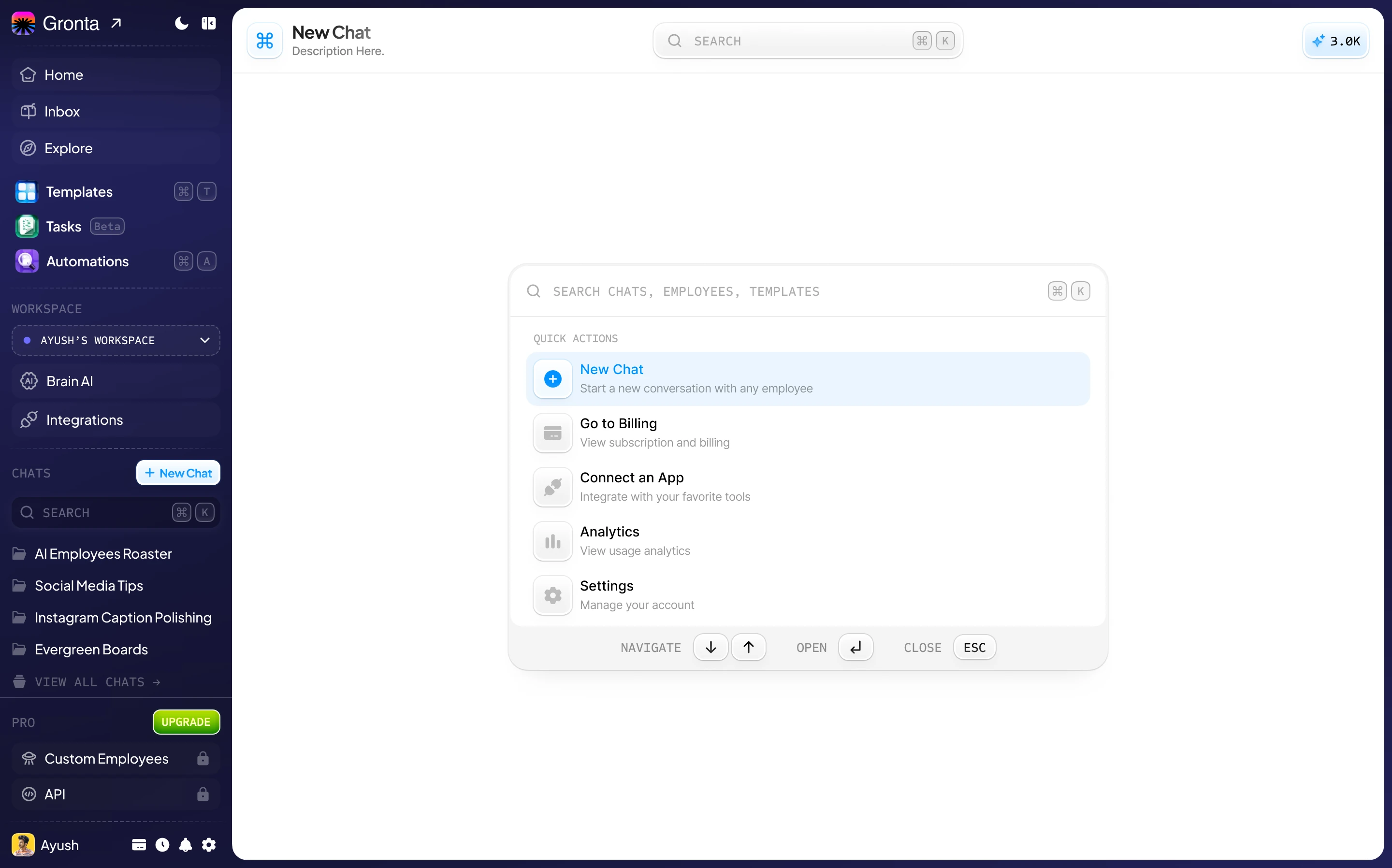
Seven Actions, One Shortcut
All seven are waiting the moment you open the palette. Start typing to narrow the list.
New Chat
Start a conversation with any AI employee.
Go to Billing
See your plan, your credits and your invoices.
Connect an App
Link Gmail, Google Drive, Notion and the other apps you use.
Insights
See what your AI team's work adds up to.
Settings
Manage your account and preferences.
Brain AI
Add to what your AI team knows about your business.
Brand Kit
Your logo, colours and tone of voice in one place.
Keyboard first
Arrow keys to move, Enter to open, Esc to close. No mouse needed.
Shortcuts on Your Home Page
Four tiles on the dashboard cover the first things most people want to do.
Start a chat
Talk to your AI team straight from the dashboard.
Connect an app
Link your tools so your employees can work in them.
Invite a teammate
Bring a colleague into your workspace.
View billing
Check your plan and manage it.
Less Clicking, More Doing
One shortcut to remember. The palette shows you the rest.
Works from anywhere
The shortcut works on every page of the app.
Search as you type
The same box finds your AI employees, recent chats and templates too.
Nothing to set up
Quick actions are there from your first sign-in.
Try it on your first day
Start on the Free plan. No card needed.